

Have you ever uploaded a video and noticed the number of likes gradually rising? You have most likely asked yourself: Can you see who liked your YouTube video? A question like this is very common and can be posed by beginners who are attempting to know who is viewing their content. However, you don’t receive any notifications when your video receives more likes. So is it because you haven’t set it up correctly, or is it simply a feature that YouTube doesn’t support? Next, we will analyze this issue in detail and explain what data YouTube provides about your videos.
Can You See Who Liked Your YouTube Videos in 2026?
No, YouTube still doesn’t show who liked your video. YouTube assures the data is entirely anonymous. You can only see the number of likes and not their detail.
However, this is something almost every new YouTube creator wonders about. It is natural to wonder when you begin posting content and your number of likes is growing: Who are these people? Did they comment? Did they subscribe?
Sometimes, you can infer whether a user is one of the likers through their comments. It is said that, in case a person comments positively, there is a high chance that they liked the video too, but again, it cannot be confirmed officially.
What You Can See About Likes on Your YouTube Videos
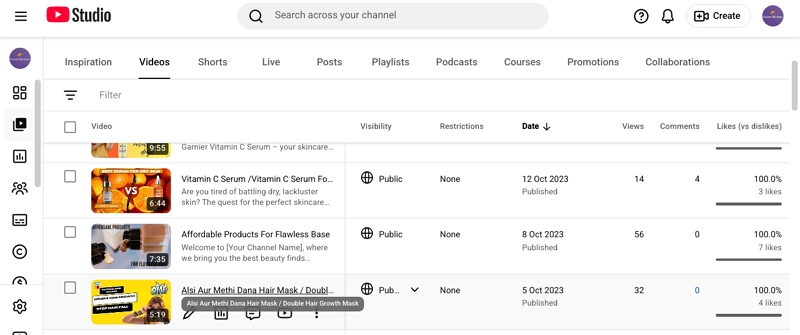
Although you do not know who liked your video, you can see how many viewers support your video. Simply open the YouTube video and locate the video title. You will see a number next to the thumbs-up icon, which indicates how many people have liked your video.
How YouTube Likes Affect Your Videos
Although you cannot see who has liked your video, likes are significant as well. From a practical perspective, videos that receive early engagement, including likes, often perform better. The likes serve as a good indication to the YouTube algorithm and demonstrate that the content was useful or entertaining to the viewers.
This way, your video will stand a greater chance of being suggested to a larger number of viewers. Social proof is also made through likes. New viewers will view the video more readily when they know it already has some engagement. Therefore, the identities are concealed, but the effect of those likes is not.
Which Data from Your YouTube Videos Lets You See Who Engaged
Although it is impossible to view the people who liked your videos on YouTube, you are not totally in the dark. YouTube provides some information on who is engaging with your content. Although likes remain anonymous, there are two obvious ways to identify engaged viewers, namely, public subscribers and commenters. Let’s break it down properly.
1. Public Subscribers
When someone subscribes to your channel, you may be able to see their names, but only if their subscription settings are public.
To check this:
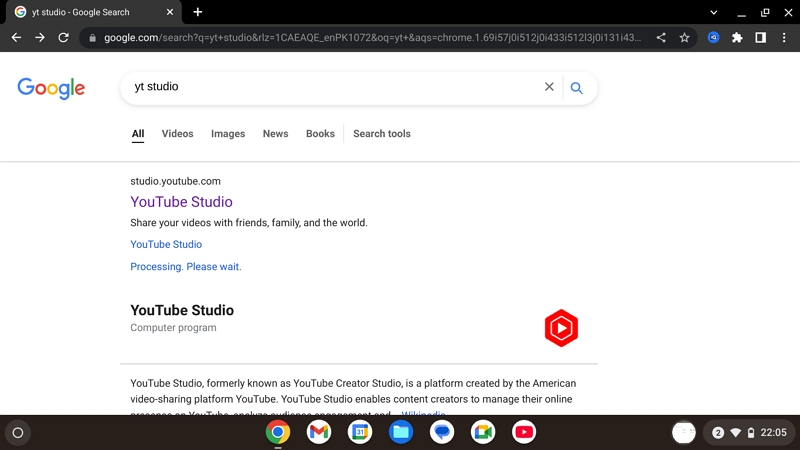
- Go to YouTube Studio in your browser.
- Open the Dashboard.
- Find the Recent Subscribers section and click See All.
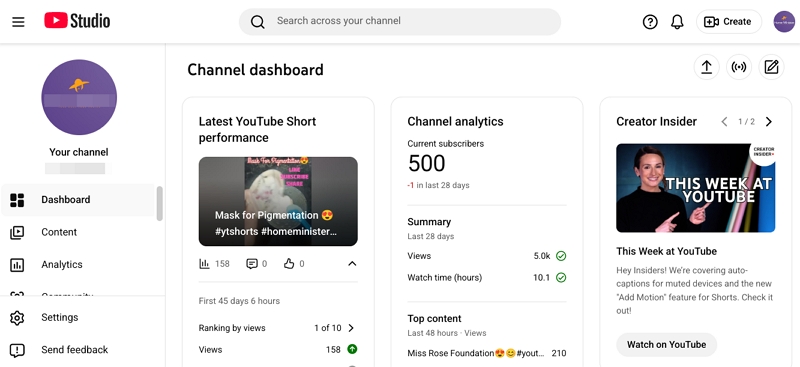
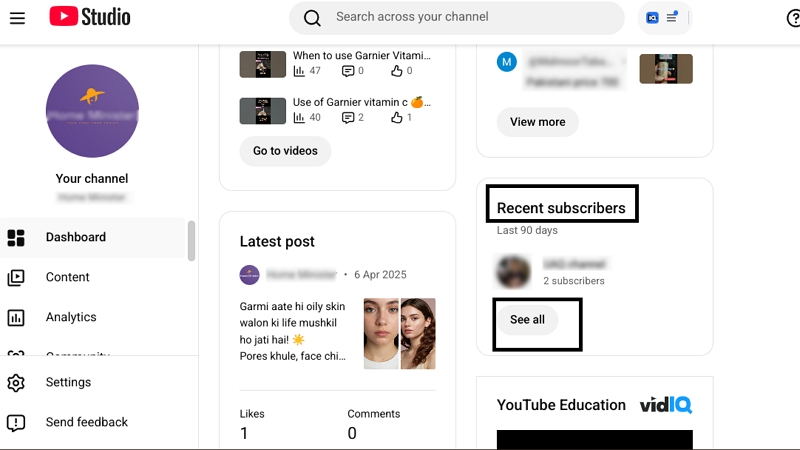
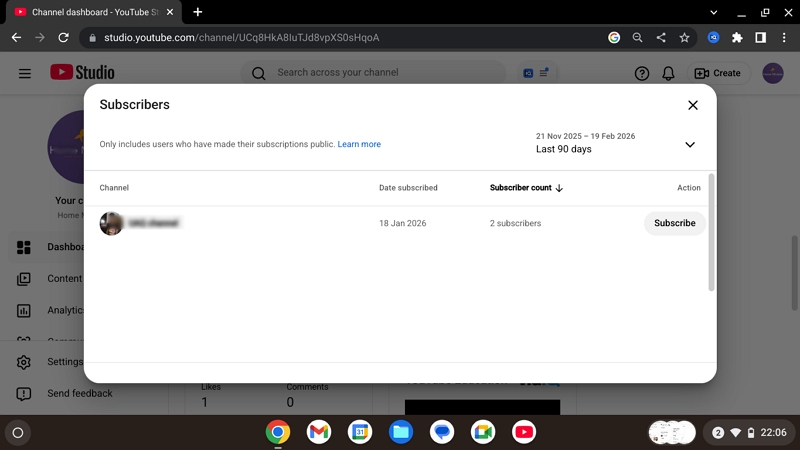
The name of the channel, profile picture, number of subscribers, and time of subscription will be shown in this case. That is not the entire list, though. With a subscriber in private mode, you shall not see his or her name under your subscriber list. Therefore, when your subscriber base is increasing, you might not be in a position to count those people behind the number.
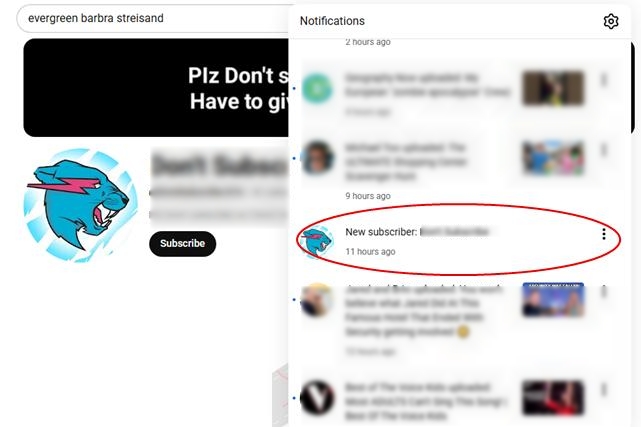
Alternatively, if you have enabled subscription notifications, you will see who subscribed to you in your notifications feed.
2. Commenters
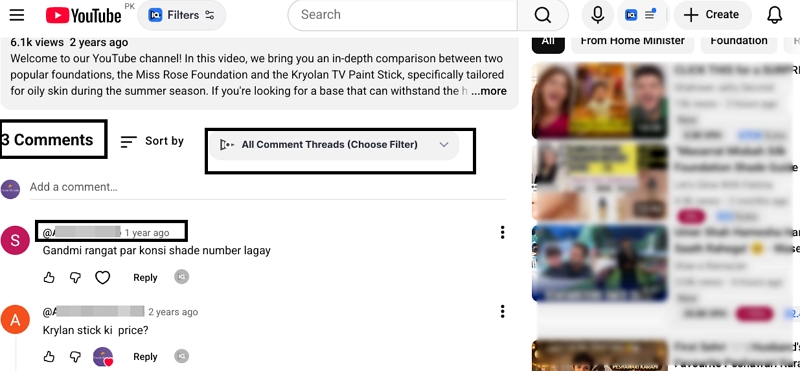
Comments are the clearest and most direct way to see who engaged with your video. Whenever someone leaves a comment, their username is visible under your video. You can click their name, visit their channel, reply to them, or even pin their comment.
Unlike likes, comments are not anonymous. This makes them a strong indicator of active engagement.
To view commenters:
- Open your video. Next, scroll down to the comment section.
- Click on any username to visit their channel.
FAQs
No, you cannot see who liked your YouTube Shorts.
Just like regular videos, likes in Shorts are private on YouTube. The number of likes on your Shorts can be seen in total, and there is no opportunity to tap on the number and view the names behind it. However, you can still see who left a comment on your Shorts. The comment box is seen publicly. The people who gave you positive feedback could also be among those who liked your video.
In addition, you can observe overall performance in the YouTube Studio: the number of views, watch time, and interaction. Likes are therefore kept secret, whereas other indicators of engagement are visible.
On TikTok, the system works similarly.
The creators have access to the total number of likes on a video, but they are not given a complete list of those who have liked it. TikTok also stores this information confidentially in order to defend the activity of users.
You can, however, see:
Who commented on your video
Who follows your account
Who liked your comments (through notifications)
So, whether it’s YouTube or TikTok, likes remain anonymous, but comments and followers help identify engaged viewers.